
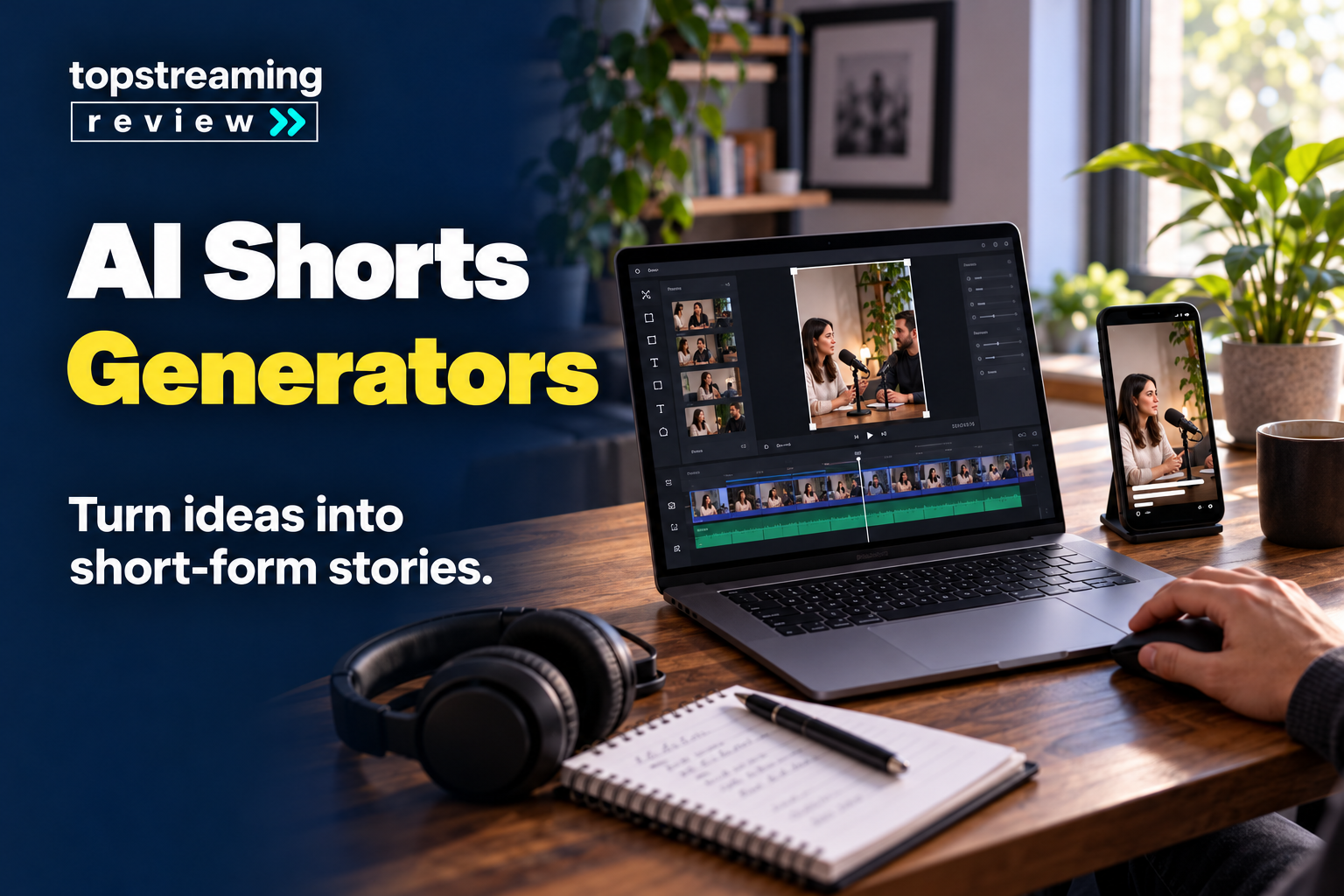
The best AI Shorts generator depends on where your video starts. OpusClip is the strongest overall choice for turning podcasts, interviews and long videos into short clips, while InVideo AI is more suitable when you want to create a Short from a prompt. Vizard fits collaborative teams, and 2short.ai is a practical budget option. This guide compares eight tools by workflow, control, cost and publishing needs. If you are building a broader workflow, our guide to AI tools for YouTube creators covers scripting, thumbnails and publishing tools beyond short-form clipping.
In this article
- Quick Picks
- How we evaluated these AI Shorts generators
- AI Shorts generator comparison
- 1. OpusClip
- 2. Vizard
- 3. Klap
- 4. quso.ai
- 5. 2short.ai
- 6. Pictory
- 7. InVideo AI
- 8. Canva
- Which AI Shorts generator should you choose?
- A simple selection process
- Measure usable clips, not generated clips
- What to check before publishing AI-generated Shorts
- Frequently asked questions
- Final verdict
Quick Picks
Clipping, reframe, captions, editing and publishing
Free plan watermark and credit limitsEditing, reusable templates and API options
Estimate credit usage before purchaseSimple upload or link-to-clips process
Generated clips still require context reviewLow-cost plans and transcript-led clipping
Less suitable for visually driven footageCreates a Short when no source footage exists
Needs strong human editing for originalityThe important choice is not simply which tool has the most AI features. It is whether you need a clipper that finds useful moments in footage you already own, or a generator that creates a new short video from a script, prompt, stock media or templates. A tool can be excellent at one of those jobs and still be a poor fit for the other.
How we evaluated these AI Shorts generators
This comparison prioritizes what happens between uploading a recording and approving a clip: source compatibility, editing control, caption correction, brand consistency and export restrictions. The recommendations draw on official product documentation and TSR editorial judgment, not hands-on performance tests. A tool’s virality score is a sorting aid, not evidence that a clip will earn views.
The comparison gives more weight to six questions that affect everyday use:
Source workflow
Can the tool work from a YouTube link, uploaded recording, script or plain-language prompt?
Clip selection
Does it find self-contained moments, or does it merely cut the source into shorter segments?
Editing control
Can you correct captions, change the crop, remove weak sections and adjust the hook before export?
Brand consistency
Can you reuse fonts, colors, layouts and caption styles without rebuilding each clip?
Publishing workflow
Does the tool stop at download, or can it schedule and publish to YouTube Shorts and Instagram Reels?
Limits and cost
How much footage can you process, which exports carry a watermark and what changes when you move from a free plan to a paid plan?
AI Shorts generator comparison
| Tool | Best for | Starts from | Key strength | Important limitation | Free option |
|---|---|---|---|---|---|
| OpusClip | Overall repurposing | Long video or link | Broad clipping, editing and publishing workflow | Credit and free-export restrictions | Yes |
| Vizard | Teams and brands | Long video | Editing, templates, API and collaboration | Broader workflow can cost more at volume | Yes; verify current limits |
| Klap | Fast one-click clipping | File or YouTube link | Simple clipping, captions and reframe | Validate approval and brand workflow for your team | Trial available |
| quso.ai | Repurposing plus scheduling | Video, podcast or stream | Clipping and social calendar in one system | May duplicate an existing scheduler | Country-dependent; check local offer |
| 2short.ai | Budget spoken content | YouTube, Drive or public link | Affordable analysis hours and transcript focus | Requires speech and usable captions | Yes |
| Pictory | Mixed script and video input | Script or long video | Handles generation and repurposing | Specialist clippers may find moments faster | Trial available |
| InVideo AI | Prompt-led faceless Shorts | Prompt | Script, visuals and voice from an idea | Generic output without human originality | Free tier; verify export limits |
| Canva | Templates and brand control | Prompt, media or template | Familiar manual editor and brand assets | Not a specialist long-video highlight finder | Yes |
1. OpusClip
Best overall for repurposing long videos
OpusClip is the most balanced choice for creators who regularly turn podcasts, interviews, webinars or livestreams into short-form clips. It combines automatic clip selection, vertical reframing, animated captions, a built-in editor and direct publishing. The Pro plan also expands aspect-ratio support and provides more useful workflow features for creators who publish across several platforms.
What makes OpusClip useful is not just that it cuts a long recording. Its current clipping workflow can consider spoken content, visual objects, sound and emotion, which gives it more flexibility than tools built mainly around transcripts. You can also prompt it to find a specific topic or moment instead of accepting only the first set of suggestions.
The limitation is cost and credit management. OpusClip’s free plan currently includes 60 monthly credits, a watermark, no editing and a three-day export window. The Starter plan is listed at $15 per month, while Pro is $29 per month or $14.50 per month when billed annually at the currently displayed annual rate. Those details can change, so check the live pricing page before purchasing.
OpusClip belongs at the top of a shortlist when a creator needs clip discovery, caption repair and publishing in one paid workflow. A channel built almost entirely around spoken YouTube content should still compare 2short.ai: broader visual analysis is not worth paying for if it never changes the clips you keep.
2. Vizard
Best for teams that need editing and reusable brand workflows
Vizard is a strong fit for marketing teams, agencies and creators who want AI clipping inside a broader browser-based editing workflow. It can identify highlights, reframe speakers for vertical video, generate captions and provide tools for editing the result before it moves into a publishing queue.
Its main advantage is flexibility after the AI creates the first cut. Teams can use templates and branding rather than treating every generated clip as a finished video. Vizard also offers an API, which matters when a publisher wants to connect clipping with an internal content pipeline instead of processing every upload manually.
That broader scope can also make Vizard feel heavier than a simple one-click clipper. Estimate your monthly source-video hours and check the credit rules for the clipping model and any extra editing features you plan to use. Confirm the current allowance and the credits shown before processing a large batch.
Vizard is most persuasive when an editor, reviewer and client must work with the same branded output. A solo creator may prefer Klap’s direct upload-to-clips route, but should compare the actual review experience rather than assume that fewer visible controls mean less capability.
3. Klap
Best for a fast one-click clipping workflow
Klap focuses on a straightforward job: turn long videos, podcasts and webinars into captioned TikToks, Reels and YouTube Shorts. You can upload a file or paste a YouTube link, and its AI selects moments, reframes the scene and applies captions.
This simplicity makes Klap attractive to solo creators who do not want to learn a full editor. Its AI Reframe workflow also supports layouts for screencasts, gaming and split-screen material, which can be important when a vertical crop would otherwise hide the subject or the on-screen demonstration.
The trade-off is that a one-click result still needs editorial review. Check whether the opening makes sense without the earlier conversation, whether the crop follows the right speaker and whether the caption timing supports the point. A technically clean clip can still feel confusing when the AI removes necessary context.
For a solo creator facing a weekly backlog, Klap’s appeal is the short route from source video to editable clips. It also documents an API and integrations, so it should not be dismissed as a basic-only tool. Teams should compare approval, template and access requirements directly with Vizard before choosing.
4. quso.ai
Best for repurposing and scheduling in one workflow
quso.ai, previously known as vidyo.ai, is designed for creators and small teams that want to turn a long recording into multiple short clips and then schedule approved content. It supports long videos, podcasts and streams, adds captions, creates vertical outputs and extends the workflow into social publishing.
The scheduling layer is its clearest differentiator. If your bottleneck is not only creating clips but also moving them into a consistent weekly calendar, keeping repurposing and publishing in one workspace may save handoffs. The platform also supports multiple import sources, including YouTube, Vimeo, Twitch, Zoom, Loom and cloud storage.
The risk is paying for breadth that you do not need. A creator who already uses a dedicated scheduling platform may gain little from another calendar. quso.ai says offers vary by country: some markets receive a monthly free plan, while others use one-time credit packs. Check the local offer, processing allowance, connected platforms and export rules before budgeting.
quso.ai earns its place when approved clips otherwise get stranded between the editor and the publishing calendar. If a scheduler already handles that handoff well, compare its clipping results with a focused tool before paying for another overlapping system.
5. 2short.ai
Best budget option for spoken YouTube videos
2short.ai is one of the clearest budget choices for podcasts, educational videos, commentary and other spoken content. You paste a YouTube link, and the platform uses the transcript to find sections that can work as short clips. It also supports Google Drive and public video links on paid plans.
The pricing table advertises 30 minutes of free analysis per month, although another sign-up message on the same page mentions 15 minutes. Confirm the allowance shown in your account. Lite is listed at $9.90 per month for five hours, Pro at $19.90 for 15 hours and Premium at $49.90 for 50 hours. Check analysis hours and fast-export capacity separately; prices and allowances can change.
Its biggest limitation is also easy to understand: it works best when the video contains speech and usable captions. It is less suitable for sports, cinematic montages, gameplay or visually driven videos where the strongest moment cannot be identified from a transcript alone.
2short.ai is a sensible first trial for a talking-head channel or speech-led podcast with a tight budget. Sports, silent demonstrations and visually driven gameplay are a different problem: use representative footage to check a visually aware clipper instead of expecting a transcript to reveal the decisive moment.
6. Pictory
Best for switching between scripts and existing videos
Pictory suits creators who do not always begin with the same kind of source. It can turn a long video into short clips, but it can also build a vertical Short from a script. That makes it useful for educators, marketers and faceless-channel teams that mix repurposed recordings with newly written content.
The workflow includes vertical output, captions and branding. In practice, the script option can be valuable when there is no clean long-form recording to clip, while the repurposing option helps you reuse webinars, lessons or interviews.
Pictory is broader than a specialist clipper, so the best choice depends on how often you use both paths. If nearly every Short starts as a podcast or livestream, a dedicated clipping tool may surface better candidates faster. If you frequently start with a written outline, Pictory can reduce the need to move between a script-to-video tool and a separate clipper. When the outline is the real bottleneck, compare AI script generators before choosing the video platform.
Pictory’s advantage is avoiding a second subscription when your week alternates between written explainers and recorded interviews. If almost every Short begins as an idea with no source material, InVideo AI is the closer comparison; if nearly every input is a long recording, prioritize a specialist clipper.
7. InVideo AI
Best for prompt-to-Short and faceless video creation
InVideo AI is aimed at creators who want to describe a topic and generate a complete short video rather than clip an existing recording. The platform can draft a script, assemble visuals, add voiceover and produce a vertical video from a prompt.
This is useful when you have an idea but no source footage. A product explainer, list, story or educational Short can move from prompt to rough cut quickly. You still need to verify every factual statement, review stock footage choices and make sure the voice and pacing fit your audience.
The main limitation is originality. Prompt-led tools can produce polished videos that look similar to many other AI-generated clips. YouTube’s monetization guidance specifically warns against repetitive or mass-produced content that lacks original value. Add your own examples, point of view, narration, demonstrations or reporting rather than publishing the first generated version unchanged.
InVideo AI is the idea-to-rough-cut option, not a substitute for reporting or an original point of view. Our comparison of AI video generators for creators covers the broader category. When a valuable interview or demonstration already exists, preserve that real voice and evidence through a clipper rather than generating a replacement story.
8. Canva
Best for beginners who want templates and manual control
Canva’s AI Shorts Maker is a practical option for creators who already use Canva for thumbnails, social graphics and brand assets. It combines templates, generated media and a familiar drag-and-drop editor, so a beginner can create a Short without learning a specialist video application.
Canva is especially useful when design consistency matters more than automatic highlight detection. You can begin with a template, replace the media, add captions and reuse brand colors across YouTube Shorts and Instagram Reels. It also provides a more hands-on path when the AI suggestion needs to be adjusted.
It is not the strongest tool for automatically scanning a long podcast and selecting the best moments. That job is better handled by OpusClip, Vizard, Klap or 2short.ai. Canva works best as a creation and finishing environment rather than a dedicated long-video clip finder.
Canva fits a creator who would rather shape a few branded clips than accept an automatic batch. It is a finishing and creation workspace; hours of source footage waiting to be reviewed are a reason to add a specialist clipper, not to force Canva into the wrong job.
Which AI Shorts generator should you choose?
Start with the material you already have.
If you have long videos
Use OpusClip for the broadest overall clipping workflow, Vizard for team editing, Klap for simplicity, quso.ai for scheduling or 2short.ai for affordable spoken-content processing.
If you have a script
Pictory is a practical bridge between script-to-video creation and long-video repurposing.
If you have only an idea
InVideo AI can create the first draft from a prompt. Canva gives you more template-led control if you prefer to assemble the story yourself.
If you publish for a brand
Prioritize reusable templates, human approval and access controls. A slightly slower workflow that preserves brand and factual accuracy is more valuable than producing a large number of clips that need correction.
A simple selection process
- Pick one representative source video or script.
- Run the same source through two shortlisted tools.
- Count how many suggested clips are understandable without extra context.
- Check caption accuracy, crop stability and the work needed to repair each export.
- Confirm watermark, resolution, storage, processing and publishing limits.
- Review the final Short for originality, rights and platform disclosure before publishing.
Do not compare tools only by how many clips they generate. Ten weak clips create more review work than three clips that already contain a clear opening, complete idea and useful ending.
Measure usable clips, not generated clips
A clipper’s real output is the shortlist you can publish without distorting the source. During a trial, record three numbers: source minutes processed, clips worth keeping and total minutes spent reviewing and repairing them. Divide the kept clips by review hours to compare usable output per hour. This is a planning method, not a TSR benchmark.
For example, a batch of twenty suggestions is not automatically better than six. If only three survive context, caption and crop checks, the other seventeen are review work. A tool that finds fewer candidates can be the better purchase if its keepers need less repair. Count subscription cost per approved clip too, using your own trial results rather than a provider’s promise.
The viewer is usually seeing the clip cold on a phone, not following the full interview on a desktop. Keep one complete claim, preserve any qualification that changes its meaning, and preview the export at phone size with sound both on and off. A tiny chart, cropped product screen or caption hidden behind interface buttons can make a technically correct edit useless.
Use your own trial data after checking context, captions and crop.
What to check before publishing AI-generated Shorts
YouTube classifies eligible square or vertical uploads up to three minutes as Shorts under its current rules. A longer allowance is not a reason to stretch a weak idea. For Reels, check the current in-app upload and recommendation requirements rather than assuming every platform uses the same limit. Keep a clean vertical master, then adapt the duration, captions and music rights for each destination.
Check the hook in context
Many clippers begin at a sentence that sounds dramatic but depends on a question or example that came earlier. Watch the clip without the source video. If a new viewer cannot understand the first few seconds, extend the opening or rewrite it.
Correct captions and names
Automatic captions can misread product names, technical terms, accents and numbers. One incorrect price or product name can undermine the whole clip. Review captions against the original audio before export. If captions are a major part of your workflow, compare dedicated AI subtitle generators for more control over transcription and language support.
Confirm crop and visual priority
A vertical crop may follow the speaker while hiding a screen demonstration, chart or second person. For tutorials and interviews, use split-screen or manual keyframes when the information sits outside the center of the frame.
Add original value
AI should shorten production time, not replace the reason someone should watch you. Add commentary, examples, demonstrations, reporting or a distinct point of view. YouTube’s monetization policy says repetitive or mass-produced content may be ineligible, particularly when generic templates are used without meaningful original contribution.
Handle AI disclosure honestly
YouTube requires disclosure for realistic AI-generated or meaningfully altered content that meets its criteria, such as making someone appear to say something they did not say or depicting a realistic event that did not happen. Routine caption creation and cloning your own voice for a voiceover are examples YouTube lists as not requiring this disclosure. Review the current AI-use setting and examples in YouTube Studio before uploading.
Review music and media rights
A tool’s library access does not automatically guarantee that every asset can be used in every commercial context. Confirm the license for music, stock footage, voices and generated media, especially if the Short will be sponsored, monetized or reused across several platforms.
Frequently asked questions
What is the best AI Shorts generator overall?
OpusClip is the strongest overall choice for creators who want to repurpose long videos because it combines clip discovery, reframing, captions, editing and publishing. It is not the best fit for every workflow. InVideo AI is more suitable for creating from a prompt, while 2short.ai is a lower-cost option for spoken YouTube videos.
Can AI turn a long YouTube video into Shorts?
Yes. OpusClip, Vizard, Klap, quso.ai and 2short.ai can analyze long videos and produce vertical clips. The result still needs human review because the selected moment may lack context, captions may contain errors and the crop may hide important visual information.
Which AI Shorts generator is free?
OpusClip and 2short.ai currently offer free plans. Free tiers often include processing limits, watermarks, shorter storage or restricted editing. Check the current plan before choosing a tool for an ongoing publishing schedule.
What is the best tool for faceless YouTube Shorts?
InVideo AI is a strong fit when you want to generate a faceless Short from a prompt. Pictory is useful when you begin with a script, and Canva is better when you want template control. Add original narration, analysis or examples so the result does not feel mass-produced.
Can I use the same video for YouTube Shorts and Instagram Reels?
Usually, yes. A clean vertical master can be adapted for both platforms, but review caption safe zones, music rights, platform-specific text and current length rules. Avoid exporting a clip with another platform’s watermark.
Will AI-generated Shorts be monetized on YouTube?
AI use alone does not automatically prevent monetization. YouTube expects original and authentic content and may reject repetitive or mass-produced videos that add little value. Realistic AI-generated or meaningfully altered content may also require disclosure.
Do virality scores guarantee more views?
No. A virality score is a product-generated estimate, not a guarantee of distribution or audience response. Treat it as a sorting aid. Your topic, opening, relevance, viewer retention, originality and channel-audience fit still determine whether a Short performs.
How many Shorts should one long video produce?
There is no fixed number. A one-hour interview may contain several self-contained moments, while another recording may contain only one. Publish clips that deliver a complete idea instead of forcing a quota that produces repetitive or context-poor videos.
Final verdict
OpusClip is the best overall AI Shorts generator for creators who regularly repurpose long recordings. Vizard is better for collaborative brand workflows, Klap for speed, quso.ai for repurposing plus scheduling and 2short.ai for affordable spoken-content clipping. Pictory, InVideo AI and Canva are stronger when the Short begins with a script, prompt or template rather than an existing long video.
The safest buying approach is a two-tool trial using the same source. Compare the amount of editing required, not only the number of clips produced. The right tool is the one that consistently gives you understandable, accurate and on-brand drafts that your audience can trust.
Related TSR guides
Explore the broader creator workflow.
Read guide →Prepare stronger source scripts for your videos.
Read guide →Understand how Shorts revenue differs from clip production.
Read guide →


Leave a Reply